
How to Use AI on Your Phone: Voice Chat, Web Search, PDFs, Images, and Daily Productivity
Learn how to use AI on your phone for voice chat, web search, PDF summarization, image generation, writing, studying, creativity, and daily productivity.
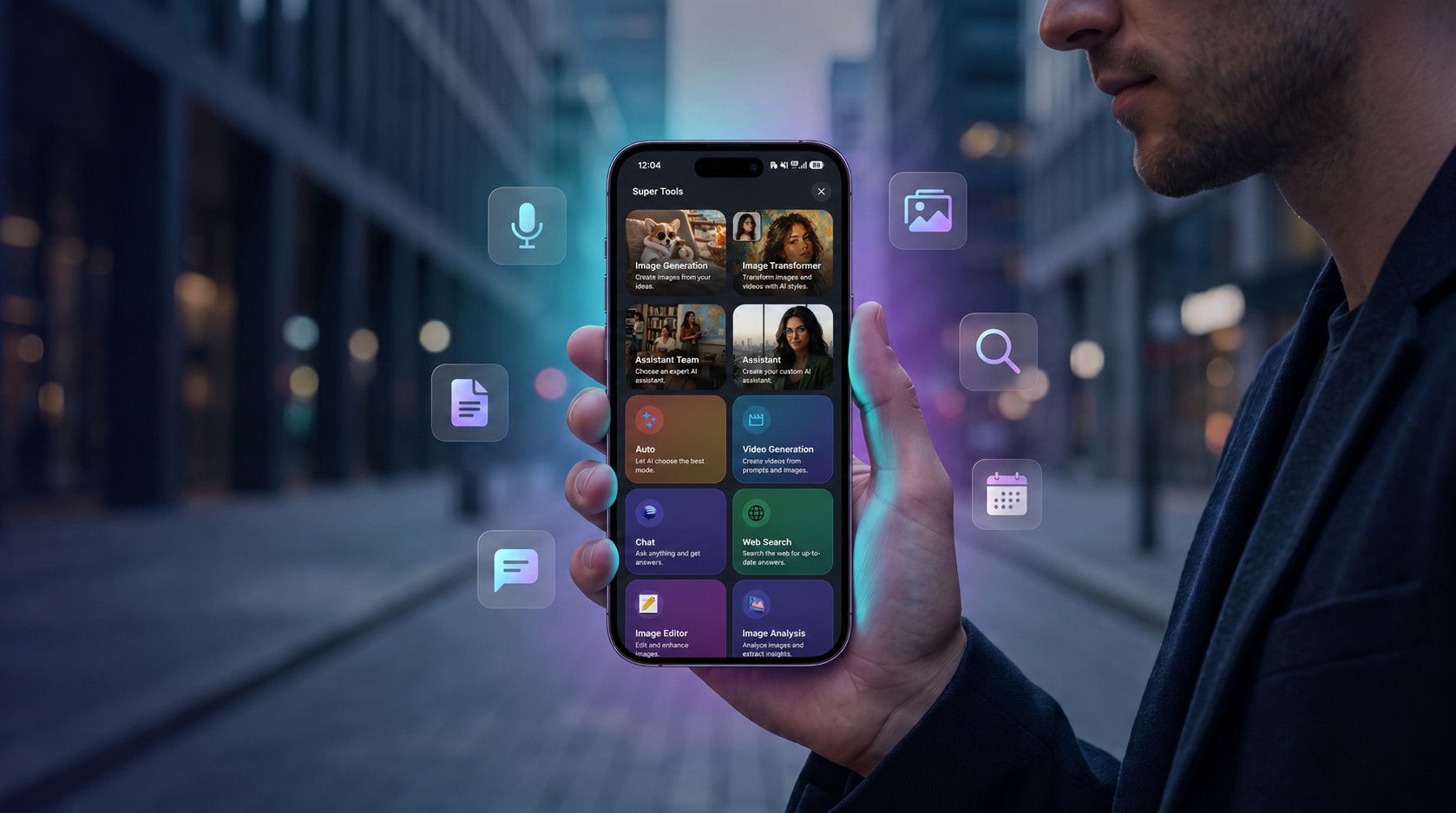
Table of Contents
AI is no longer something you only use at your desk.
In 2026, people want AI to be available wherever they are: walking, commuting, studying, working, traveling, preparing for a meeting, replying to messages, or creating content from their phone.
That is why mobile AI tools are becoming so important.
A good AI tool on your phone can help you write faster, search the web, summarize PDFs, generate images, transform photos, practice languages, use voice chat, brainstorm ideas, and organize your day.
Tools like ChatGPT, Gemini, Claude, Perplexity, Midjourney, Canva, and SuperGeno all show how broad the AI ecosystem has become. ChatGPT is widely used for general AI chat, writing, brainstorming, and learning. Gemini is useful for users connected to Google’s ecosystem. Claude is popular for thoughtful writing, structured explanations, and analysis. Perplexity is strong for research and source-based answers. Midjourney and Canva are well known for visual creativity and design workflows.
But most people do not want to keep switching between different tools on a small phone screen.
That is why a mobile-first AI tool like SuperGeno can be practical. It brings together AI chat, writing support, web search, PDF summarization, image generation, photo transformation, voice chat, and daily productivity in one simple app.
This guide explains how to use AI on your phone in a practical way without making your workflow complicated.
Why Mobile AI Matters
Desktop AI is powerful, but your day does not happen only at a desk.
You may need help while you are:
Commuting.
Walking.
Waiting before a meeting.
Studying outside.
Traveling.
Shopping.
Replying to a message.
Preparing for a call.
Creating content on the go.
Reading a document from your phone.
Thinking through an idea during a short break.
This is where mobile AI becomes useful.
The best AI mobile tools help you use small moments better.
Instead of waiting until you return to your laptop, you can ask a question, rewrite a message, summarize a document, generate an idea, or use voice chat immediately.
The goal is not to replace deep work. The goal is to reduce friction.
A mobile AI companion should help you move faster when you already have your phone in your hand.
What Can You Do With AI on Your Phone?
A good AI tool on your phone should support more than basic chat.
It should help with practical daily tasks, such as:
Writing messages.
Rewriting emails.
Searching the web.
Summarizing PDFs.
Explaining difficult topics.
Generating images.
Transforming photos.
Practicing languages.
Using voice chat.
Preparing for meetings.
Creating content ideas.
Brainstorming decisions.
Planning your day.
Summarizing notes.
The most useful mobile AI experience is not about one feature. It is about moving between tasks smoothly.
For example, you may start by searching a topic, then summarize the result, turn it into a post, generate a visual idea, and use voice chat to refine the angle.
That is why all-in-one mobile AI tools are becoming more valuable.
1. Use AI Voice Chat When Typing Is Too Slow
Voice chat is one of the most natural ways to use AI on your phone.
Typing long prompts on a small screen can be annoying. Speaking is often faster, especially when you are walking, commuting, cooking, or thinking out loud.
Voice chat can help with:
Brainstorming ideas.
Practicing English or another language.
Preparing for meetings.
Planning your day.
Thinking through decisions.
Creating content ideas.
Getting quick explanations.
Reviewing notes.
For example, you can say:
“I have a meeting in 20 minutes. Help me prepare three talking points.”
“Ask me English questions and correct my answers.”
“Help me organize my tasks for today.”
“Give me five ideas for a social media post.”
“Explain this topic in simple language while I am walking.”
“Help me think through this decision.”
Voice chat makes AI feel less like a search box and more like a digital companion.
SuperGeno supports this kind of mobile interaction by helping users speak naturally, brainstorm quickly, and continue their workflow from the phone.
Best for
Busy professionals.
Students.
Language learners.
Creators.
Commuters.
People who prefer speaking instead of typing.
Practical tip
Start with a clear situation.
Instead of saying:
“Help me.”
Say:
“I have a client meeting soon. Help me prepare five short talking points and one question to ask.”
2. Use AI Web Search for Fresh Information
AI chat is useful, but not every answer should rely only on old information.
If you are researching current topics, product comparisons, travel ideas, pricing, app alternatives, market trends, or recent news, real-time web search matters.
Perplexity is one of the best-known tools for source-based research and answer discovery. It is useful when you want current information and a quick overview.
But research is rarely the final step.
Usually, you search because you want to make a decision, write something, prepare something, or create something.
That is where a mobile AI workflow becomes useful.
You can use AI web search to:
Compare products.
Research travel destinations.
Find app alternatives.
Understand recent trends.
Prepare for a meeting.
Create a quick market overview.
Collect content ideas.
Check current information.
Learn about a topic before writing.
For example:
“Compare the best AI tools for students.”
“What are the latest mobile app marketing trends?”
“Summarize the main differences between these products.”
“Find useful information about this travel destination.”
“Create a short research brief about this topic.”
SuperGeno helps connect web search with the next step. You can search, summarize, ask follow-up questions, turn the results into notes, write a post, or prepare an email from the same mobile app.
Best for
Students.
Professionals.
Founders.
Marketers.
Researchers.
Travel planners.
People comparing tools or products.
Practical tip
Ask for the format you want.
For example:
“Give me a short comparison table.”
“Summarize this in simple language.”
“Turn this research into five content ideas.”
“Create a decision checklist.”
3. Use AI to Summarize PDFs and Documents From Your Phone
Long documents are difficult to read on a phone.
PDFs, reports, contracts, lecture notes, client briefs, articles, and presentations can take too much time, especially on a small screen.
AI can help you extract the important parts faster.
You can ask:
“Summarize this PDF in 10 bullet points.”
“What are the key points?”
“What should I pay attention to?”
“Explain this document in simple language.”
“Create action items from this document.”
“Turn this into study notes.”
“Create a short version I can send to my team.”
This is useful for many people.
Students can summarize lecture notes or research papers.
Professionals can prepare for meetings.
Managers can review reports faster.
Freelancers can understand client briefs.
Small business owners can summarize proposals or documents.
Founders can review product notes or investor materials.
SuperGeno is useful here because document summarization does not stay isolated. After summarizing a PDF, you can ask follow-up questions, rewrite the summary, create an email, prepare talking points, or turn the key ideas into content.
Best for
Students.
Professionals.
Managers.
Freelancers.
Founders.
Researchers.
Anyone who reads long documents from a phone.
Practical tip
Do not only ask for a summary. Ask for the next action.
For example:
“Summarize this document and create five questions I should ask.”
“Extract the action items and deadlines.”
“Turn this into a meeting brief.”
“Create study notes and quiz questions.”
4. Use AI for Writing and Rewriting Messages
One of the most common uses of AI on mobile is writing.
People write all day from their phones:
Emails.
Texts.
Social posts.
Captions.
Customer replies.
Client messages.
Product descriptions.
Notes.
Comments.
Short explanations.
Tools like ChatGPT and Claude are widely used for writing, rewriting, summarizing, and improving tone. They are useful because most people do not need AI to write everything from scratch. They need help making their own message clearer, shorter, more polite, or more professional.
AI can help you:
Rewrite a message.
Shorten a long text.
Make a message sound polite.
Create an email draft.
Improve grammar.
Translate naturally.
Write captions.
Create product descriptions.
Turn notes into clear text.
Prepare a professional reply.
For example:
“Rewrite this message in a more professional tone.”
“Make this email shorter and clearer.”
“Write a polite follow-up after this meeting.”
“Turn these notes into a LinkedIn post.”
“Create three caption options for this image.”
“Make this customer reply friendly and clear.”
SuperGeno makes this practical on mobile because you can write, rewrite, research, summarize, and continue editing from one app.
Best for
Professionals.
Freelancers.
Students.
Small business owners.
Creators.
Customer-facing teams.
People who write often from their phone.
Practical tip
Give AI the tone you want.
For example:
“Make it polite but direct.”
“Make it friendly and short.”
“Make it professional but warm.”
“Make it confident but not aggressive.”
5. Use AI Image Generation From Your Phone
AI image generation is useful when you want to create a visual from an idea.
Instead of searching for a stock image or opening design software, you can describe what you want and generate a custom visual.
Midjourney is well known for high-quality AI image generation and artistic visuals. Canva is popular for accessible design, templates, and social media assets. ChatGPT Images can also help users generate and refine visuals through conversation.
But many users want a simple mobile experience.
They want to create:
Blog hero images.
Social media visuals.
Ad concepts.
Profile images.
Presentation visuals.
Campaign ideas.
Thumbnail concepts.
Product mockups.
Creative references.
For example:
“Create a premium blog hero image showing a smartphone with floating AI productivity cards.”
“Generate a social media image concept for a fitness app.”
“Create a visual idea for a travel post.”
“Make a clean product mockup for a mobile app.”
“Generate three visual concepts for this campaign.”
SuperGeno helps users connect image generation with the rest of their creative workflow. You can brainstorm an idea, generate a visual, write captions, create variations, and continue refining from your phone.
Best for
Creators.
Marketers.
Small businesses.
App owners.
Students.
Freelancers.
People who need quick visual ideas.
Practical tip
Include the format and style.
For example:
“Create a square Instagram visual.”
“Make it cinematic and premium.”
“Use a dark gradient background.”
“Show a smartphone in the center.”
“Make it clean and modern.”
6. Use AI Photo Transformation for Personal and Shareable Content
AI photo transformation is different from image generation.
Image generation starts from a text prompt.
Photo transformation starts from your own image.
This is especially powerful on mobile because your photos are already on your phone.
You can transform a photo into:
An anime portrait.
A cinematic profile image.
A magazine cover.
A sports poster.
An action figure.
A cartoon avatar.
A fantasy character.
A professional headshot.
A social media visual.
A stylized pet portrait.
This type of AI output feels personal because it uses your own photo as the starting point.
Instead of generating a random character, you can become the character.
Instead of creating a generic poster, you can create a poster with your own image.
SuperGeno’s Image Transformer feature is designed for this kind of mobile-first creativity. Users can choose templates, upload a photo, and transform it into different styles without needing complex editing software.
Best for
Social media users.
Creators.
Students.
Personal branding.
Profile pictures.
Fun viral content.
Pet owners.
People who want easy visual transformation.
Practical tip
Use clear photos.
For better transformations, choose images with:
Good lighting.
Visible face.
Simple background.
Clear pose.
No heavy blur.
7. Use AI for Daily Planning and Personal Productivity
AI can also help you organize your day.
This does not need to be complicated. You can use AI as a lightweight planning partner.
For example:
“Here are my tasks for today. Help me prioritize them.”
“Create a simple schedule for my afternoon.”
“Turn this messy list into a clear plan.”
“What should I focus on first?”
“Create a checklist for this project.”
“Help me break this big task into smaller steps.”
“Summarize what I should do tomorrow.”
This is useful because many people do not need another complex productivity system. They just need help organizing thoughts quickly.
A mobile AI companion can help you turn mental clutter into a clear plan.
SuperGeno is useful here because productivity does not happen in isolation. You may plan your day, write a message, summarize a document, search something, and brainstorm a creative idea in the same session.
Best for
Busy professionals.
Students.
Freelancers.
Managers.
Small business owners.
People who feel overwhelmed by tasks.
Practical tip
Give AI your raw list.
You do not need to organize everything first.
For example:
“Here is my messy task list. Group it by priority and create a realistic plan for today.”
8. Use AI for Learning and Language Practice
Mobile AI is very useful for learning because you can practice in short sessions.
You do not need a long study block. You can use five or ten minutes to learn something, review a topic, or practice speaking.
AI can help with:
Explaining concepts.
Creating examples.
Asking quiz questions.
Practicing English.
Correcting grammar.
Creating flashcards.
Summarizing lessons.
Reviewing your answers.
For example:
“Explain this topic like I am new to it.”
“Ask me five questions about this lesson.”
“Correct my English answer and explain my mistakes.”
“Create flashcards from this text.”
“Give me a simple example.”
“Help me practice a job interview in English.”
“Explain the difference between these two words.”
SuperGeno’s voice chat makes this especially useful for language learners. You can practice speaking, get corrections, and continue the conversation naturally from your phone.
Best for
Students.
Language learners.
Professionals learning new skills.
People preparing for interviews.
Self-learners.
Practical tip
Ask AI to interact with you step by step.
For example:
“Ask me one question at a time and wait for my answer.”
“Correct me after each response.”
“Keep the conversation at an intermediate English level.”
9. Use AI to Prepare for Meetings and Calls
Many people waste time before meetings because they do not know how to prepare quickly.
AI can help you create a simple preparation brief.
You can ask:
“Create three talking points for this meeting.”
“Summarize this topic before my call.”
“What questions should I ask?”
“Create a short agenda.”
“Help me explain this idea clearly.”
“Turn these notes into meeting points.”
“Create a follow-up email after this meeting.”
This is especially useful from mobile because meetings often happen between other tasks. You may have only a few minutes to prepare.
SuperGeno can help you quickly move from notes to talking points, from talking points to follow-up emails, and from documents to action items.
Best for
Professionals.
Managers.
Founders.
Freelancers.
Sales teams.
Consultants.
Students preparing presentations.
Practical tip
Use this structure:
“Context: [explain the meeting]. Goal: [what you want]. Output: [talking points, questions, agenda, or follow-up email].”
10. Use AI for Founder and Manager Thinking
Founders, managers, and team leads often deal with both business and technical topics.
They may not need to write code from a phone, but they often need to understand product logic, ask better questions, and prepare for technical discussions.
AI can help translate complexity into clearer thinking.
For example:
“Review this API logic and tell me if the flow makes sense.”
“Explain this database structure like I am a product manager.”
“Summarize this technical note for a non-technical stakeholder.”
“What questions should I ask my developer before approving this feature?”
“Help me brainstorm the simplest version of this feature.”
“Create acceptance criteria for this user story.”
“Explain the risks in this technical decision.”
This is not about replacing developers or building a full product on mobile.
It is about using small moments better.
If you are away from your desk, you can still understand a technical idea, prepare questions, review a flow, or make your next meeting more productive.
SuperGeno can be useful for this because it combines quick chat, writing, document summarization, and mobile brainstorming in one place.
Best for
Founders.
Product managers.
Engineering managers.
Startup owners.
Team leads.
Business owners working with developers.
Practical tip
Ask AI to explain technical topics in your role’s language.
For example:
“Explain this like I am a founder.”
“Explain this like I am a product manager.”
“Explain this for a business stakeholder.”
A Simple Daily Mobile AI Workflow
You do not need to use AI for everything.
Start with the moments where you feel friction.
Here is a simple daily mobile AI workflow.
Morning
Ask:
“Here are my tasks for today. Help me prioritize them and create a realistic plan.”
Before a Meeting
Ask:
“Create three talking points and two questions for this meeting.”
During the Day
Ask:
“Rewrite this message in a polite and clear tone.”
“Summarize this document.”
“Find current information about this topic.”
Creative Break
Ask:
“Give me five content ideas based on this topic.”
“Generate a visual concept for this post.”
While Walking or Commuting
Use voice chat:
“Help me think through this idea.”
“Ask me English questions.”
“Help me prepare for my next call.”
End of the Day
Ask:
“Summarize what I completed today and suggest what I should focus on tomorrow.”
This kind of routine makes AI practical instead of overwhelming.
Popular AI Tools for Mobile Workflows
Different tools are useful for different reasons.
ChatGPT
Useful for general chat, writing, brainstorming, learning, summaries, and everyday productivity.
Claude
Useful for thoughtful writing, structured explanations, analysis, and long-form content.
Gemini
Useful for people connected to Google apps and personal productivity inside the Google ecosystem.
Perplexity
Useful for research, current information, and source-based answers.
Midjourney
Useful for visual creativity, AI image generation, concept art, and artistic exploration.
Canva
Useful for design templates, social media assets, presentations, and accessible creative work.
SuperGeno
Useful for mobile users who want many everyday AI workflows in one app.
SuperGeno helps with:
AI chat.
Writing.
Web search.
PDF summarization.
Image generation.
Photo transformation.
Voice chat.
Studying.
Meeting preparation.
Daily planning.
Creative brainstorming.
Founder and manager thinking.
The main advantage is convenience. Instead of switching between many different apps, SuperGeno brings writing, research, documents, visuals, voice, and productivity into one mobile-first experience.
Common Mistakes When Using AI on Your Phone
AI can save time, but only if you use it well.
Mistake 1: Asking vague questions
Bad prompt:
“Help me with this.”
Better prompt:
“Rewrite this message to sound polite, short, and professional.”
Mistake 2: Not giving context
AI works better when you explain the goal, audience, tone, and format.
Mistake 3: Using too many apps
Switching between many tools can create friction. A multi-purpose mobile tool can reduce this.
Mistake 4: Expecting perfect results instantly
AI is often best when used iteratively. Ask for revisions.
Mistake 5: Ignoring privacy
Avoid sharing sensitive personal, financial, legal, medical, or confidential business information unless you are sure it is appropriate.
Mistake 6: Not reviewing outputs
AI can make mistakes. Always review important content before using it.
What to Look for in a Mobile AI Tool
Before choosing a mobile AI app, consider these questions:
Can it help with writing?
Can it search the web?
Can it summarize PDFs or documents?
Can it generate images?
Can it transform photos?
Does it support voice chat?
Is it easy to use from a phone?
Does it reduce app switching?
Can it support studying, work, and creativity?
Is it simple enough to use every day?
If you answer yes to several of these questions, an all-in-one mobile AI tool may be more useful than several separate apps.
Final Thoughts: The Best AI Tool Is the One You Can Use Anywhere
AI is most useful when it fits naturally into your daily life.
A desktop AI tool may be powerful, but a mobile AI companion is there when you need it: before a meeting, during a commute, while studying, while creating content, or when a quick idea appears.
ChatGPT, Claude, Gemini, Perplexity, Midjourney, and Canva are all useful for different workflows. But if you want one mobile app for chat, writing, research, PDFs, images, photo transformation, voice chat, and daily productivity, SuperGeno is worth trying.
The future of AI is not only about smarter answers.
It is about less friction.
It is about asking faster, creating faster, understanding faster, and moving from idea to output wherever you are.
SuperGeno is designed for exactly that: practical AI in your pocket.
Start Using AI From Your Phone
Download SuperGeno on the App Store or Google Play and use AI chat, web search, PDF summarization, image generation, photo transformation, voice chat, and daily productivity tools from one mobile-first app.
Continue Reading
- ChatGPT Alternatives in 2026: The Best AI Tools You Can Use Today
- Best AI Chat Apps in 2026: How to Choose the Right AI Tool
- AI Image Generator vs Image Transformer: What Is the Difference?
- How to Use AI Tools for Studying, Work, and Creativity
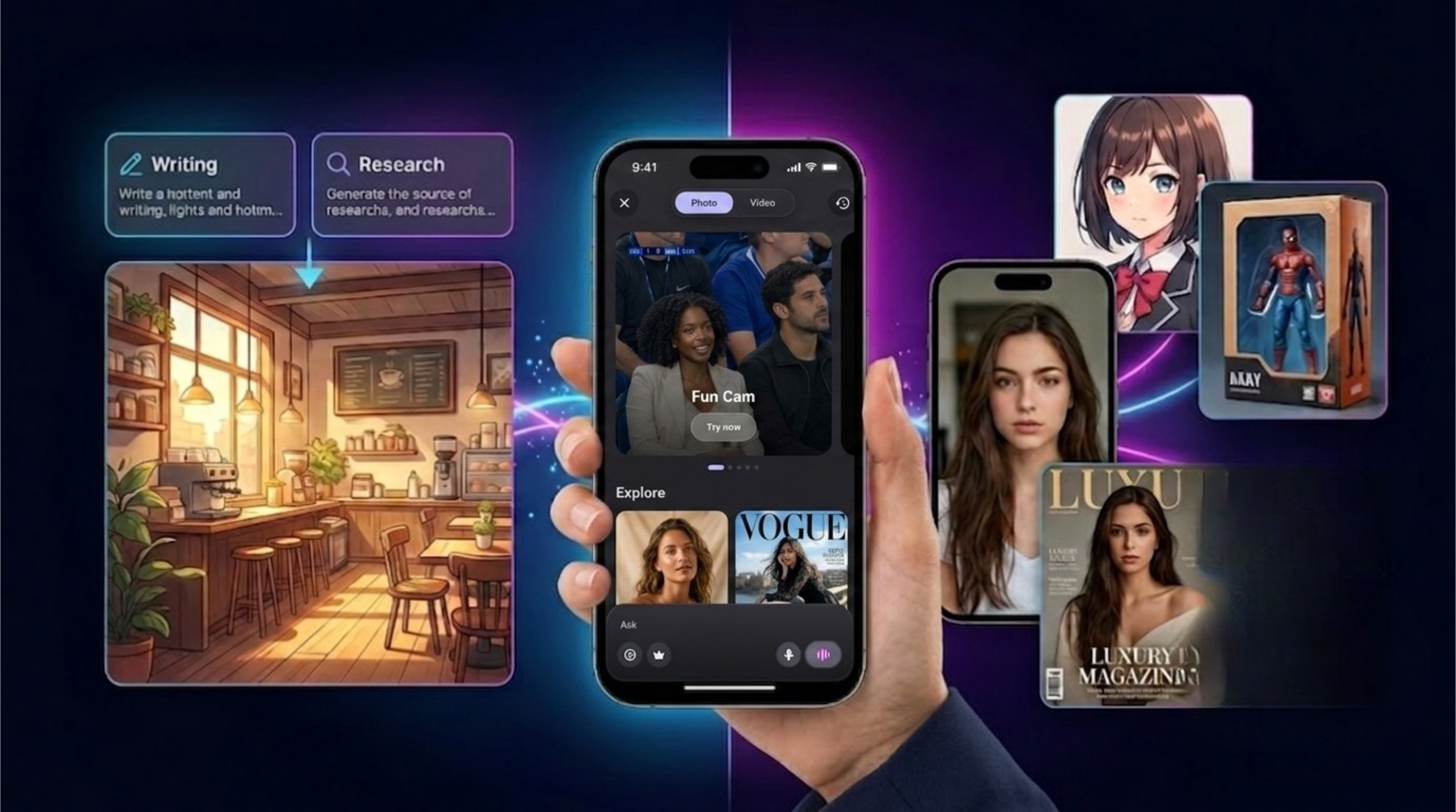
AI Image Generator vs Image Transformer: What Is the Difference and Which One Should You Use?
Learn the difference between AI image generators and AI image transformers. Discover how tools like Midjourney, ChatGPT Images, Adobe Firefly, Canva, and SuperGeno help users create and transform visuals.
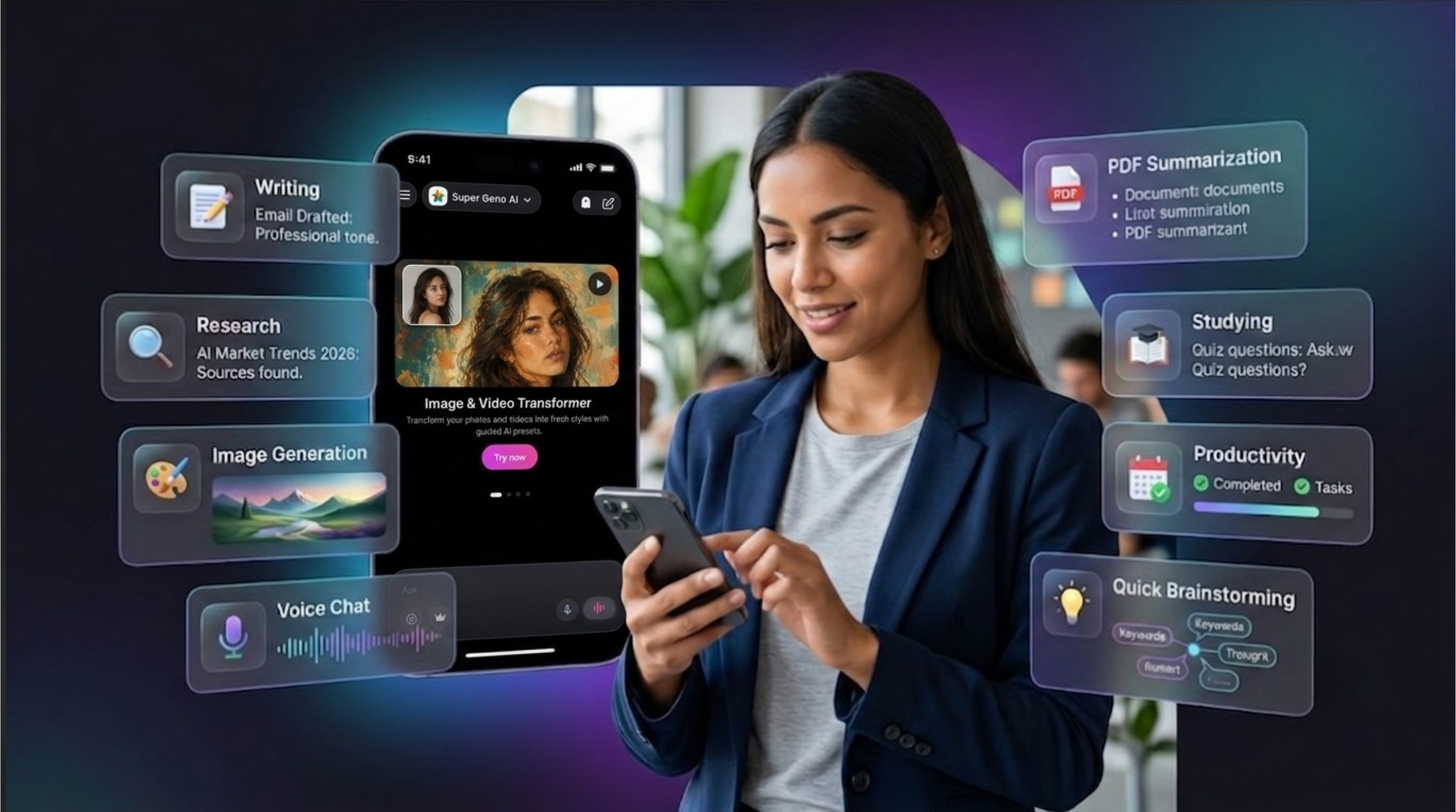
Best AI Chat Apps in 2026: How to Choose the Right AI Tool for Your Daily Workflow
Discover the best AI chat apps in 2026 for writing, research, image generation, voice chat, PDF summarization, studying, and mobile productivity.